


Max size of USB thumb drive on Fit Sport?


Thread Starter
|
New Member
Joined: Aug 2009
Posts: 5
From: Cambridge, Ontario
 Max size of USB thumb drive on Fit Sport?
Hey all,
Anyone knows the biggest supported size for the USB link in the Fit Sport? Or is there a limit at all? Anything I should know about before getting a thumb drive? Anything I should avoid? Anyone tried a hard drive or something like that?
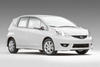
I just bought a Fit Sport (their last 2009 which was marked down by $2,600 CAD). I wanted a white one but for $2,600 less I don't mind the orange. I'm taking delivery this Wednesday, and I want to have a USB thumb drive ready for my first drive.
Thanks in advance for your help!
p.s. I CAN'T WAIT! I traded in my 1997 Camry for it... this should be fuuuuuun.
Anyone knows the biggest supported size for the USB link in the Fit Sport? Or is there a limit at all? Anything I should know about before getting a thumb drive? Anything I should avoid? Anyone tried a hard drive or something like that?
I just bought a Fit Sport (their last 2009 which was marked down by $2,600 CAD). I wanted a white one but for $2,600 less I don't mind the orange. I'm taking delivery this Wednesday, and I want to have a USB thumb drive ready for my first drive.
Thanks in advance for your help!
p.s. I CAN'T WAIT! I traded in my 1997 Camry for it... this should be fuuuuuun.
Last edited by jamescca; Mar 27, 2010 at 03:38 PM.

Member

Joined: Jul 2009
Posts: 837
From: Atlanta, GA
Given the rudimentary navigation capabilities of the HU working with a USB drive, I can't imagine needing more than 16gb; a rotating drive would just increase complexity while reducing reliability. I currently have 30+ hours of music, spread over a thousand tracks, with more than a gig free, on an 8gb flash drive. My flash drive is velcroed to the back wall of the glove compartment.

Member
Joined: Aug 2009
Posts: 2,462
From: Vermont
I'm running an 8GB as well. I know others have plugged in USB Hard drives so capacity shouldn't be an issue. I haven't tried my 32GB but I'm guessing it would work.
I've had good luck with Sandisk (as an FYI). I started out with my cruizer Titanium 512MB when I picked up the car, then upgraded to the 8GB cruiser mini (or micro, can't remember which)
~SB
I've had good luck with Sandisk (as an FYI). I started out with my cruizer Titanium 512MB when I picked up the car, then upgraded to the 8GB cruiser mini (or micro, can't remember which)
~SB
Thread Starter
|
New Member
Joined: Aug 2009
Posts: 5
From: Cambridge, Ontario
Oh yeah I forgot how there's just one line of text and only a couple buttons for 'next folder' and 'next song'. I've just been annoyed for so long with my current deck which is CD MP3, and finding only 100 songs I want in my car is tough. I'll start with the 8GB I have, but good to know that others have had success with other types of drives. Thanks!

Member
Joined: Feb 2009
Posts: 285
From: NYC
I was running a 64 GB with about almost 500 albums on it, each with its own folder. This was a pain, as you always have to scroll down from the top of the alphabet, and the folders are only in alphabetical order if you use a program such as DriveSort (it's free; search on that name) to order them. If you're like me and want/need all your mp3 files with you all the time, you'll need a new head unit, one with better capabilities than the stock (your sound quality will improve dramatically when you do as well). Have a look in the Fit I.C.E. GE subforum under the heading 'Alpine CDA-105?' for more information on which HUs make good replacements for this purpose.
Member
Joined: Aug 2009
Posts: 2,462
From: Vermont
Oh yeah I forgot how there's just one line of text and only a couple buttons for 'next folder' and 'next song'. I've just been annoyed for so long with my current deck which is CD MP3, and finding only 100 songs I want in my car is tough. I'll start with the 8GB I have, but good to know that others have had success with other types of drives. Thanks!
~SB


Member
Joined: Jul 2009
Posts: 837
From: Atlanta, GA
The center button and knob works like an ipod's controls. If you have all of your music sorted in folders by artist and then album, one press of the button will show you the first album and turning the knob will move to the next album... pressing the button will enter the album and allow you to use the knob to move to the next song. it's not bad navigagtion once you get used to it. The only problem I've run into is that the had unit sorts albums & songs by date added so you'll want to get a program designed to sort music on a flash drive. it will re-time/date stamp the files in the order you want them in. This is discussed in another thread here.
~SB
~SB

Member
Joined: Mar 2010
Posts: 41
From: New England
Was this self-powered, or did you run an inverter?
Did you use an inverter, or was this one of those USB-powered drives? Sounds like a novel idea though.

Member
Joined: Apr 2009
Posts: 132
From: Portland, OR
Fat32 has nothing to do with drive partition size, it represents the file cluster size which limits the max file size and volume size which depend on the OS's addressable memory space.
Member
Joined: Aug 2009
Posts: 2,462
From: Vermont
~SB
Member
Joined: Mar 2010
Posts: 157
From: Orlando, FL
sorry for the late reply, yes the HDD is formated in FAT32. Also it's one of the small self power one (SATA USB2). Some people claim that 2.5" 7200 rpm hdd is faster and smoother, but i just don't like them because it creats too much heats, and uses more power than my 5400 rpm one. Plus it only costede $80 for 500GB with the housing. The only downside about it is the size and the weight. I ended up getting a double sided velcro thinggy to hold it in place because it was moving so much while i was driving. But so far I don't have any problem with the HDD. 
Thread Starter
|
New Member
Joined: Aug 2009
Posts: 5
From: Cambridge, Ontario
sorry for the late reply, yes the HDD is formated in FAT32. Also it's one of the small self power one (SATA USB2). Some people claim that 2.5" 7200 rpm hdd is faster and smoother, but i just don't like them because it creats too much heats, and uses more power than my 5400 rpm one. Plus it only costede $80 for 500GB with the housing. The only downside about it is the size and the weight. I ended up getting a double sided velcro thinggy to hold it in place because it was moving so much while i was driving. But so far I don't have any problem with the HDD.
Member
Joined: Mar 2010
Posts: 41
From: New England
I talked to am engineering student a few years back about a peculiar early death of a lending laptop in our program. He basically said that hdd's with needles, etc mechanisms aren't really designed for movement. Walking with a laptop, on, across a room, for example, makes tiny, imperceptible scratches in the hdd surface. Over years, you will start to see the tell-tale signs of impending drive failure.
I am curious how a hdd would hold up in a car environment. I imagine they would last about 2 to 3 years- the best thing you can do is make sure its surrounded by rubber and secured, to minimize vibrations.
I'm also curious about load times, when you turn on the radio, how soon before music starts playing? I was reading online forums for kenwood folks, and they clim with an external hdd, they were waiting anywhere from 30 seconds to well over 3 minutes before the kenwood unit started playing music from the hdd's. They didn't seem to take as long with the portable (flash) drives. I wonder if thats more due to size than transfer speed though.
I am curious how a hdd would hold up in a car environment. I imagine they would last about 2 to 3 years- the best thing you can do is make sure its surrounded by rubber and secured, to minimize vibrations.
I'm also curious about load times, when you turn on the radio, how soon before music starts playing? I was reading online forums for kenwood folks, and they clim with an external hdd, they were waiting anywhere from 30 seconds to well over 3 minutes before the kenwood unit started playing music from the hdd's. They didn't seem to take as long with the portable (flash) drives. I wonder if thats more due to size than transfer speed though.
Member
Joined: Aug 2009
Posts: 2,462
From: Vermont
I talked to am engineering student a few years back about a peculiar early death of a lending laptop in our program. He basically said that hdd's with needles, etc mechanisms aren't really designed for movement. Walking with a laptop, on, across a room, for example, makes tiny, imperceptible scratches in the hdd surface. Over years, you will start to see the tell-tale signs of impending drive failure.
I am curious how a hdd would hold up in a car environment. I imagine they would last about 2 to 3 years- the best thing you can do is make sure its surrounded by rubber and secured, to minimize vibrations.
I'm also curious about load times, when you turn on the radio, how soon before music starts playing? I was reading online forums for kenwood folks, and they clim with an external hdd, they were waiting anywhere from 30 seconds to well over 3 minutes before the kenwood unit started playing music from the hdd's. They didn't seem to take as long with the portable (flash) drives. I wonder if thats more due to size than transfer speed though.
I am curious how a hdd would hold up in a car environment. I imagine they would last about 2 to 3 years- the best thing you can do is make sure its surrounded by rubber and secured, to minimize vibrations.
I'm also curious about load times, when you turn on the radio, how soon before music starts playing? I was reading online forums for kenwood folks, and they clim with an external hdd, they were waiting anywhere from 30 seconds to well over 3 minutes before the kenwood unit started playing music from the hdd's. They didn't seem to take as long with the portable (flash) drives. I wonder if thats more due to size than transfer speed though.
As for boot speed, that would probably be more to do with the head unit and how it handles managing the files. Most have to index the files on every start up and due to flash drives being smaller in capacity, they will index quicker. Most hard drives also have to spin up but this is just a few seconds and once they are up to speed, the USB2.0 bus is the limiting factor of data transfer, not the disk itself. Comparison wise, a 32GB Hard drive and Flash drive with the exact same info, should be almost equivalent. I doubt you'll see too many 32GB hard drives in a car - most will be 120GB or more. You also won't see many 64GB flash drives either... most will be 32GB or less.
Also of note, unlike CD's or records, hard drives aren't playing back audio at a 1-to-1 ratio. the information is read, buffered, then played back so there is a good chance that the hard drive isn't even being read while music is playing back. The disc may be spinning but the head is likely parked which would also prevent damage. Think about the fraction of a second it takes to read/copy a 10MB file from a flash drive. this is about 2x the size of a standard song... that's all a hard drive has to be actively reading for each song.
~SB
Last edited by specboy; Mar 30, 2010 at 09:08 PM.
Member
Joined: Mar 2010
Posts: 157
From: Orlando, FL
Let's see... I had a BMW Z4 which had a USB port in the glove box as well for good 3 years, and been using this same 500GB HDD ever since. When I had it in my Z4, there was a noticeable load time like 2 secs whenever I turn the car on. But there's "almost no delay" with the Fit. Also when I had it on my Z4 it would "pause" like when your car CD player pauses when you go over hard bumps and such, but not on the Fit due to softer suspension (I guess). I'm thinking about getting a new bigger solid state disk for my laptop and use my laptop's 128GB SDD for my Fit. But yeah, I need something big because I have sooooo many songs (currently using 207GB...) and don't feel like to carry 100+ CDs... 
Thread Starter
|
New Member
Joined: Aug 2009
Posts: 5
From: Cambridge, Ontario
Yeah NTFS formatting doesn't work with the head unit, I tried and it comes up as "UNSUPPORTED". So I had to listen to the radio all the way home. THE HORROR! Reformatting now, hopefully the *second* time is the charm.
As an aside, wow this car is built tight. I've been driving that 97 Camry (which handles like an old boat in melted butter) since I got my license 7 years ago... it's such a big change.
As an aside, wow this car is built tight. I've been driving that 97 Camry (which handles like an old boat in melted butter) since I got my license 7 years ago... it's such a big change.