


Show me your camera gear!!!!



Joined: Apr 2007
Posts: 5,405
From: Santa Ana/Newport Beach, California

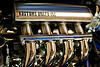
That Awesome!!! I want one now and Master Chief too! that suit remind me the Fan movie Batman vs Joker vs Alien vs predator.


 .
.I use, Image>Adjustments>Black & White. I like that I can control the influence of each color. Much better than desaturating, IMO.
Joined: Apr 2007
Posts: 5,405
From: Santa Ana/Newport Beach, California
Do you have CS4 or photoshop 7???
I would recommend using channel mixer and shooting rawr format.


this squirrel wanted more cheez-its. i was coming back to my apartment from checking the mailbox. i was eating cheez-its and i saw this squirrel, so i gave it some. i walk up to my front door and to my surprise, this rodent follows me to my door. i grab my camera that was on the couch and took a picture of it. i got up really close and it didn't move. this thing was fearless!

Joined: Apr 2007
Posts: 5,405
From: Santa Ana/Newport Beach, California
hahaha no worry man!!!
haha Very Pink!
Still awesome photos!
I'm planning to next year.

haha Very Pink!
Still awesome photos!
I'm planning to next year.
i usually shoot jpeg cause i don't know much about raw. I don't really notice difference honestly. I'll try it though.
Joined: Apr 2007
Posts: 5,405
From: Santa Ana/Newport Beach, California

Wow, those Predator suits are incredible! That's like beyond a hobby at that point -- really well done.
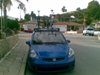
These are some recent shots. One edit from a car show last month, and some beach sunset pics from vacation at Lake Erie last week.


These are some recent shots. One edit from a car show last month, and some beach sunset pics from vacation at Lake Erie last week.

Master FitFaker. CHEA!
Joined: Mar 2008
Posts: 5,317
From: Marble Falls, TX
It's also very easy to edit raw, and you can make HUGE non destructive exposure corrections and stuff.
Just drag the RAW file into photoshop and start moving those sliders!
You'll love it I promise.
Just don't go overboard.
i really like this guys site. anyone have any opinions on him. he doesn't seem as cocky as ken rockwell, haha.
Digital Black and White
Digital Black and White
i really like this guys site. anyone have any opinions on him. he doesn't seem as cocky as ken rockwell, haha.
Digital Black and White
Digital Black and White

After, with some cloning work, lens simulation, and Exposure2 for film stock simulation

Very useful software. SilverFX is also supposed to be good for B&W, but never used it as I never had a need to go elsewhere using what I use now.