


How to Adjust LaneWatch Camera


Thread Starter
|
Member
Joined: Jul 2014
Posts: 3,252
From: Shokan, NY

How to Adjust LaneWatch Camera
I installed a new right side view mirror, and the LaneWatch camera must be adjusted before it will work. Although there is a lengthy description here, it does not work for me.
https://www.fitfreak.net/forums/3rd-...ed-target.html
After turning on power to the car, I pressed the radio power button to turn it off. Then I pressed Power, Eject, and Menu on the radio. I did not get the Diag menu. As I kept pushing those buttons, it cycled through turning the radio on and off and ejecting a disc.
Any ideas? I could find directions for most other Hondas, but not the Fit.
https://www.fitfreak.net/forums/3rd-...ed-target.html
After turning on power to the car, I pressed the radio power button to turn it off. Then I pressed Power, Eject, and Menu on the radio. I did not get the Diag menu. As I kept pushing those buttons, it cycled through turning the radio on and off and ejecting a disc.
Any ideas? I could find directions for most other Hondas, but not the Fit.
Thread Starter
|
Member
Joined: Jul 2014
Posts: 3,252
From: Shokan, NY
I found some information in a Chilton's Manual through our library.
The directions given in the link I found on the forum do not work for the Fit. Below shows how to get into radio Diagnostics.
Start-Up Procedure and Diagnostic Menu
NOTE: Check the vehicle 12 volt battery condition first.
"
The directions given in the link I found on the forum do not work for the Fit. Below shows how to get into radio Diagnostics.
Start-Up Procedure and Diagnostic Menu
NOTE: Check the vehicle 12 volt battery condition first.
- Start the engine.
- At any screen except the HOME screen, use the audio unit buttons:
- NOTE: When HOME screen is displayed, the HOME button illumination goes out, and is hard to check.
- Press and hold the EJECT button, the POWER () button, and the HOME button until the Select Diagnosis Items menu screen is displayed:
- Self-Diagnosis Mode (runs the automatic diagnosis of the audio system)
- Detail Information & Setting (allows you to manually diagnose the audio system)
- Self-Diagnosis Mode (runs the automatic diagnosis of the audio system)
"

Member
Joined: Aug 2014
Posts: 1,620
From: Connecticut
Dont mess with the alignment of the camera unless you want to readjust everything. Need a dotted pattern to print out and it really is a PITA. You cant even view those setting as doing so will wipe it out to reset it, then you have the pink screen of death.
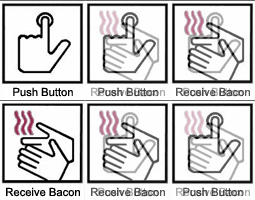
^^ Pretty much this.
The Lane Watch aiming is a someway lengthy setup process requiring a good bit of measuring and a specific target placed on a stand to properly aim. Unless you know of a specific body shop that has the correct tools to do the aiming process then you will need to head over to a Honda dealer to have the camera aimed. I'd highly recommend scheduling an appointment and dropping the car off to give the tech time to properly setup and aim the camera if you decide to have it done.
The Lane Watch aiming is a someway lengthy setup process requiring a good bit of measuring and a specific target placed on a stand to properly aim. Unless you know of a specific body shop that has the correct tools to do the aiming process then you will need to head over to a Honda dealer to have the camera aimed. I'd highly recommend scheduling an appointment and dropping the car off to give the tech time to properly setup and aim the camera if you decide to have it done.
Thread Starter
|
Member
Joined: Jul 2014
Posts: 3,252
From: Shokan, NY
I have no choice. It is a new camera, and it must be aimed before it will work. Now that I know how to get into the Diagnostics screen, I'll try to print a target and take it from there. I could buy that target from Honda, but it costs $80!!!
those things are so blurry and wide angle i didnt know there was any fancy technical sequence to calibrate them. lol thought it was just plug it in and if it works it works. if not, then something's wrong with your HU or its setting.
Member
Joined: Aug 2014
Posts: 1,620
From: Connecticut

I had to re-aim the lanewatch b/c I stupidly messed around with the settings and ended up getting no image.
I used a ladder and placed it near the rear bumper. You can do the alignment as many times as you want. It only re-aligns the lines. not where the camera aims.
I used a ladder and placed it near the rear bumper. You can do the alignment as many times as you want. It only re-aligns the lines. not where the camera aims.
Thread Starter
|
Member
Joined: Jul 2014
Posts: 3,252
From: Shokan, NY
"Press and hold the EJECT button, the POWER () button, and the HOME button until the Select Diagnosis Items menu screen is displayed:"

Thread
Thread Starter
Forum
Replies
Last Post
Ryengoth
3rd Generation GK Specific Fit I.C.E. Sub-Forum
3
Mar 2, 2016 04:23 PM
damooster
2nd Gen GE8 Specific Fit Interior Modifications Sub-Forum
3
Mar 1, 2010 03:35 PM

