When you click on links to various merchants on this site and make a purchase, this can result in this site earning a commission. Affiliate programs and affiliations include, but are not limited to, the eBay Partner Network.
The Station Name of "Kiss FM" and the artist(s) "Eminem and Rihanna" and song title "The Monster" are shown.
Why isn't this information: Station Name, Song Title and Artist(s) name shown on the main FM audio page?
It is really stupid if you really have to hit the sequence "Menu" then "View Radio Text" to see this information on each and every song that is played.
This information should automatically be displayed on the main FM display.
So am I missing something or has Honda made a dumb mistake with RDS?
Any ideas on how to show the Station ID, Artist and Song Title on the main FM display without resorting to pressing "Menu" then "View Radio Text" on each and every song that is played.
Radio stations need to subscribe to the RDS service- many do not- in my area- the larger commercial stations have it and some of the public radio stations & smaller ones do not.
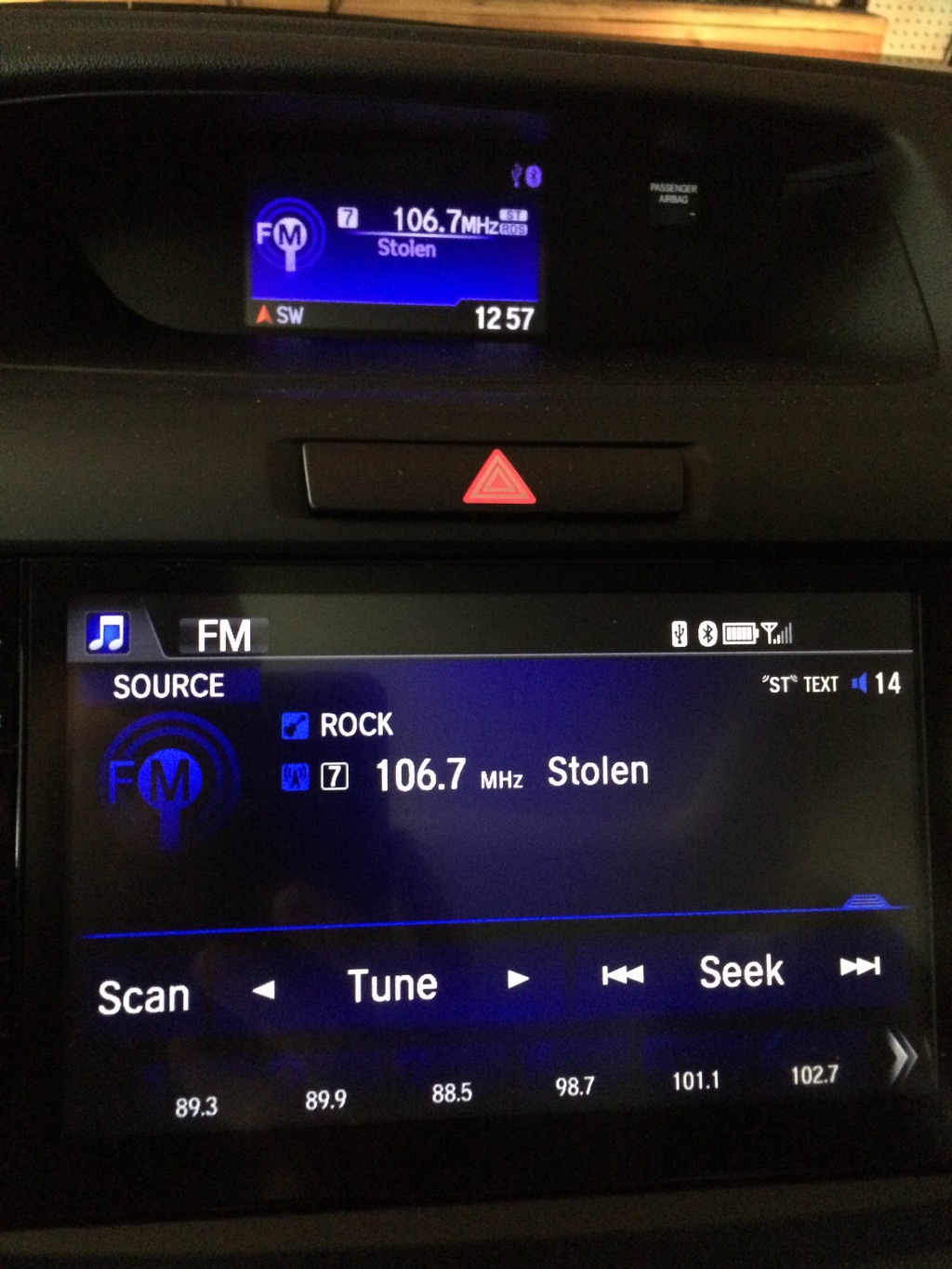
No Station ID, No Artist, No Song Title is shown only the Music Type: TOP40, "ST" for Stereo and "TEXT" meaning that there is text associated with this RDS station is shown.
I am looking for the same info. I could have swore the radio automatically showed the station and song titles at first. Then I started looking through the settings and now it always shows a black screen with the time in upper right corner whenever something is playing. If I want to station and song info I have to go back into the menu.
Fitmo's right. For some reason the factory setting is OFF. I'm coming from a 2012 CRV with only the i-MID display - defaulted ON. Moved up to a new 2015 CR-V EX and it has the i-MID and the bigger touchscreen.
Park the car (many functions get grey'd out when car is moving).
You MUST put the radio on FM.
Follow Fitmo's instructions. Turn it to on.
Boom, now it works on BOTH screens.
Also weird thing: sometimes my podcast info won't show when going through bluetooth. Sometimes it does. huh.
Assuming you have RDS turned on, incomplete or missing RDS info is a broadcaster issue, not a radio issue. Also, if you don't listen to the same station(s) all the time, RDS info can be slow to update.
On the panel next to cd opening. There’s button called title. When in park hit this. You will see song info turn on and off as you toggle through the button based on number of times you hit it. There is no option in the menus to turn this on and off. It’s called turn RDS on or off.
I am looking for the same info. I could have swore the radio automatically showed the station and song titles at first. Then I started looking through the settings and now it always shows a black screen with the time in upper right corner whenever something is playing. If I want to station and song info I have to go back into the menu.
I am experiencing the very same issue! Do you remember how you fixed yours?
The nice thing about being old and out of touch with popular culture, is that my infotainment screen can show the name of the artist and the song, and it means nothing to me.
Score a point for being non-relevant to the modern entertainment age!
I am looking for the same info. I could have swore the radio automatically showed the station and song titles at first. Then I started looking through the settings and now it always shows a black screen with the time in upper right corner whenever something is playing. If I want to station and song info I have to go back into the menu.
Happened to me after I replaced headlight bulbs with LED headlight. Went through all the settings and can't get the Radio Data System (RDS) screen back.
I disconnected the battery and left it disconnected for a few minutes and when I reconnected it I got message saying " "hold down the on-off button for 2 seconds" when I turned the radio on. I complied, and then things were back to normal.
I am experiencing the very same issue! Do you remember how you fixed yours?
I just figured out how to fix mine, I had my daylight brightness off which blacked out the entire screen excluding the clock. Try that one and see if that helps