


How to post pictures to this forum.



Member
Joined: Apr 2013
Posts: 221
From: Chicago
http://www.flickr.com/photos/36894424@N06/8860713797/Is there a way for these images to work from Flickr? I can get the image to show up when in advanced but the actual picture will not work. HELP PLEASE???
http://www.flickr.com/photos/36894424@N06/8860717133/Turnes out I needed more than 20 post! Who knew?
http://www.flickr.com/photos/36894424@N06/8860717133/Turnes out I needed more than 20 post! Who knew?
Last edited by 2poler; Jun 20, 2013 at 05:55 PM.



Member
Joined: Sep 2012
Posts: 823
From: Arizona
What I find most comical about this thread is the first post, a tutorial on how to post pictures, is lacking in pictures of what/how to do it. Pretty much the only thing I don't like about this site is the lack of ability to post pictures directly to the site from my computer or phone. When the site only allows photgraphs from third-party sites like photobucket or flickr the pictures go away when they're moved or deleted on the photo-sharing sites. 

Member
Joined: Aug 2014
Posts: 49
From: Chicago


Member
Joined: Sep 2012
Posts: 823
From: Arizona
Exactly what I said 2 months ago! I'll agree, mods need to update not only this thread, but also the site to allow the ability to post pictures directly to the site rather than having to use third-party sites to do it.

Member
Joined: Jul 2014
Posts: 174
From: Massachusetts
I am completely unable to post photos. I see that I have "HTML code is off" on my account. I tried to use [IMB] [/IMG] and it didn't work.
I see no attachmennt button, either.
I've been using Photobucket for years, and posting photos from it on other websites. None o the codes are working.
help!
I see no attachmennt button, either.
I've been using Photobucket for years, and posting photos from it on other websites. None o the codes are working.
help!
Last edited by acter; Feb 1, 2015 at 08:36 AM. Reason: More information


Member
Joined: Sep 2012
Posts: 823
From: Arizona
You may have to adjust it in your user settings.

Member
Joined: Jan 2015
Posts: 43
From: Spokane, WA
What I find most comical about this thread is the first post, a tutorial on how to post pictures, is lacking in pictures of what/how to do it. Pretty much the only thing I don't like about this site is the lack of ability to post pictures directly to the site from my computer or phone. When the site only allows photgraphs from third-party sites like photobucket or flickr the pictures go away when they're moved or deleted on the photo-sharing sites.
 Got to agree. Post and site need an update.

Member
Joined: Sep 2012
Posts: 823
From: Arizona
One way that I have found to post pictures to this site for free without the links ever dying is to post them to your user folder, then link to them from there. Dumb, and more work than necessary, but it gets the job done while FitFreak hopefully works on being able to post directly to the site like other forums.

New Member
Joined: Oct 2015
Posts: 7
From: snow hill
 new
new
just made a deal and ordered a fit ex last night in yellow. should have it in 2-3 weeks at pecheles honda,new bern,nc. my name is bruce allen ,and i am a retired music teacher and band director. i am 68. i did a lot of research and chose the best subcompact. very good buying experience. hello everyone! used to be a ford guy.

Member
Joined: Aug 2010
Posts: 114
From: NJ

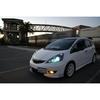
Honda Fit Lights
Mrmondaynite's Recent Uploads | Photobucket
a60e4411-89c3-4a8a-8fef-e2efa573a858_zps3zigxw5p.jpg Photo by Mrmondaynite | Photobucket
a60e4411-89c3-4a8a-8fef-e2efa573a858_zps3zigxw5p.jpg Photo by Mrmondaynite | Photobucket
Last edited by MrMondayNite; Dec 15, 2015 at 10:03 PM.