


How to post pictures to this forum.


Thread Starter
|
Member

Joined: Feb 2006
Posts: 145
From: Cleveland
How to post pictures to this forum.
How to post pictures to this forum:
In order to post pictures you need to use a image hosting service like Image Shack (http://imageshack.us/) to upload the picture. Follow the steps below and reply with any questions. Hopefully the community will help so that we can all increase our user experience at this site.
Step one:
At ImageShack.us upload the picture file by browsing for the file on your computers hard drive. Resize if necessary.

Step Two:
Copy the direct link url by using normal copy method.

Step Three:
At FitFreak.net click on the insert image icon in the advanced post toolbar. To get to the advanced post function you have to click "Go Advance" below the quick reply box.

Step Four:
Paste the direct link to image in the pop up box.

Click on OK and the image will appear within the post box. Resize if necessary.
In order to post pictures you need to use a image hosting service like Image Shack (http://imageshack.us/) to upload the picture. Follow the steps below and reply with any questions. Hopefully the community will help so that we can all increase our user experience at this site.
Step one:
At ImageShack.us upload the picture file by browsing for the file on your computers hard drive. Resize if necessary.
Step Two:
Copy the direct link url by using normal copy method.
Step Three:
At FitFreak.net click on the insert image icon in the advanced post toolbar. To get to the advanced post function you have to click "Go Advance" below the quick reply box.
Step Four:
Paste the direct link to image in the pop up box.
Click on OK and the image will appear within the post box. Resize if necessary.


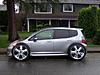
 by myself.


Member
Joined: Mar 2007
Posts: 49
From: Orange County, CA
so, i have two questions/problems.
i can upload pictures the way it says to on this thread, but they're all small. I just thought they'd be bigger. Other people on this thread have pictures bigger than mine.
ex.)
also, i had an avatar pic. but now for some reason i don't. it just dissappeard. i uploaded it again and it still doesn't show up when i post.
see it just says "mute" my names not even underlined or anything. it's also not posting the number of posts i have on the righthand side. anyone know why or how i could fix this?
i can upload pictures the way it says to on this thread, but they're all small. I just thought they'd be bigger. Other people on this thread have pictures bigger than mine.
ex.)
also, i had an avatar pic. but now for some reason i don't. it just dissappeard. i uploaded it again and it still doesn't show up when i post.
see it just says "mute" my names not even underlined or anything. it's also not posting the number of posts i have on the righthand side. anyone know why or how i could fix this?



 [/IMG]test

"Codes for forums" produce small thumbnail photos on the forums, but when forum members click on them, they link to imageshack where they enlarge.
"Codes for web sites" appear much larger on fitfreak.net, but then members yell at you for posting such large photos. It's probably better to use the "codes for forums" thumbnails, or try other hosting sites for other options.

