2nd Generation (GE 08-13) 2nd Generation specific talk and questions here.

Why are my songs not displayed on radio display?

Thread Tools
 
Search this Thread
 
Old Feb 18, 2009 | 12:25 PM
  #1  
CrystalFiveMT's Avatar
Thread Starter
|
Member
5 Year Member
iTrader: (1)
Joined: Sep 2008
Posts: 1,662
From: New York State
Why are my songs not displayed on radio display?
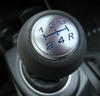
Those of you using a flash drive through the USB, did any of you experience the display not showing your songs? My parents have this issue.

Help plz.
 
Old Feb 18, 2009 | 01:40 PM
  #2  
No_Skillz's Avatar
Member
Joined: Dec 2008
Posts: 148
From: Freehold, NJ
Did you play around with the TITLE or RDS button?
 
Old Feb 18, 2009 | 01:49 PM
  #3  
CrystalFiveMT's Avatar
Thread Starter
|
Member
5 Year Member
iTrader: (1)
Joined: Sep 2008
Posts: 1,662
From: New York State
There's an RDS button? I know about the title button.
 
Old Feb 18, 2009 | 01:52 PM
  #4  
minnemike's Avatar
Member
Joined: Feb 2009
Posts: 194
From: Minneapolis, MN
Mine works great every time I've used it so far on default setting. You sure the MP3 ID3 tags are in good order?
 
Old Feb 18, 2009 | 01:53 PM
  #5  
No_Skillz's Avatar
Member
Joined: Dec 2008
Posts: 148
From: Freehold, NJ
RDS might only be for radio display, I'm not sure. If no one else answers by then, I'll hook up a USB and play around with it a bit on my commute home and let you know later.
 
Old Feb 18, 2009 | 01:53 PM
  #6  
CrystalFiveMT's Avatar
Thread Starter
|
Member
5 Year Member
iTrader: (1)
Joined: Sep 2008
Posts: 1,662
From: New York State
I'm the middle man here since it's my parents who have this problem. But my parents say that they labeled each track carefully.
 
Old Feb 18, 2009 | 01:54 PM
  #7  
CrystalFiveMT's Avatar
Thread Starter
|
Member
5 Year Member
iTrader: (1)
Joined: Sep 2008
Posts: 1,662
From: New York State
Originally Posted by No_Skillz
RDS might only be for radio display, I'm not sure. If no one else answers by then, I'll hook up a USB and play around with it a bit on my commute home and let you know later.
Thanks for this.
 
Old Feb 18, 2009 | 01:55 PM
  #8  
dave.'s Avatar
New Member
Joined: Feb 2009
Posts: 15
From: Los Angeles, CA
try pushing the center button on the knob and turn it to the right, and whaaaaaaa la! you can choose if you want to see the title or track.
 
Old Feb 18, 2009 | 01:59 PM
  #9  
CrystalFiveMT's Avatar
Thread Starter
|
Member
5 Year Member
iTrader: (1)
Joined: Sep 2008
Posts: 1,662
From: New York State
Originally Posted by dave.
try pushing the center button on the knob and turn it to the right, and whaaaaaaa la! you can choose if you want to see the title or track.
My parents say they don't see artist or title displayed at all. Will your suggestion solve this?
 
Old Feb 18, 2009 | 02:02 PM
  #10  
minnemike's Avatar
Member
Joined: Feb 2009
Posts: 194
From: Minneapolis, MN
Originally Posted by CrystalFiveMT
I'm the middle man here since it's my parents who have this problem. But my parents say that they labeled each track carefully.
If labeling the file name itself is what they mean, then it would not be the fix. At least this is something my Dad would do. ID3 tags are entirely different, I'm sure you realize, but do they?
 
Old Feb 18, 2009 | 02:03 PM
  #11  
CrystalFiveMT's Avatar
Thread Starter
|
Member
5 Year Member
iTrader: (1)
Joined: Sep 2008
Posts: 1,662
From: New York State
Originally Posted by minnemike
If labeling the file name itself is what they mean, then it would not be the fix. At least this is something my Dad would do. ID3 tags are entirely different, I'm sure you realize, but do they?
Hmm...interesting. So to see the tags they would have to "get info" on each track? And if it's blank, that's the problem?
 
Old Feb 18, 2009 | 02:07 PM
  #12  
minnemike's Avatar
Member
Joined: Feb 2009
Posts: 194
From: Minneapolis, MN
Correct. Properties or info of the mp3 file would tell you what is labeled now, if anything. The file name has zero to do with it.

Here is some software that makes it easy to do (pc): http://www.mp3tag.de/en/
 
Old Feb 18, 2009 | 02:13 PM
  #13  
CrystalFiveMT's Avatar
Thread Starter
|
Member
5 Year Member
iTrader: (1)
Joined: Sep 2008
Posts: 1,662
From: New York State
Sounds like that's the problem and fix. I'll relay your suggestions and thanks for the link. I'll post what their results are.

+1 rep
 
Old Feb 18, 2009 | 02:23 PM
  #14  
minnemike's Avatar
Member
Joined: Feb 2009
Posts: 194
From: Minneapolis, MN
Sounds good... let us know if it turns out to be something weirder.

In that program here is an image that lays out what the tags are in relation to the file name and where in the program to change them:

http://www.mp3tag.de/en/images/sht_main.png
 
Old Feb 18, 2009 | 02:35 PM
  #15  
CrystalFiveMT's Avatar
Thread Starter
|
Member
5 Year Member
iTrader: (1)
Joined: Sep 2008
Posts: 1,662
From: New York State
Tanks! That will help.
 
Related Topics
Thread
Thread Starter
Forum
Replies
Last Post
hogwylde
General Fit Talk
5
Jan 15, 2016 08:45 AM
peter99
2nd Generation (GE 08-13)
9
Oct 30, 2013 02:17 PM
sean5995
1st Generation (GD 01-08)
6
Aug 23, 2012 11:24 PM
LeroyWhite
2nd Generation (GE 08-13)
60
Jul 17, 2011 08:38 PM
S4guy2000
General Fit Talk
3
Apr 6, 2010 07:40 PM


All times are GMT -4. The time now is 06:33 PM.