


Super easy iPhone GPS usage


Thread Starter
|
Member
Joined: Aug 2012
Posts: 165
From: San Ramon, CA
Super easy iPhone GPS usage
Although my wife has a real GPS in her car, I find the various mapping options on my iPhone5s to be sufficient. But I didn't want to add a mount or stick it to the windshield. After almost 2 years of just having it lay on the seat or my thigh, I found what for me is a mind-numbing simple solution.
I always have the iPhone on the charger when using GPS as it uses up battery power quickly. And the phone with the charging cable plugged in is almost exactly the same size as the distance from the steering wheel column and the dashboard overhang.
So I put the phone rigth in front of the speedometer, with its top against the dashboard overhang, and its bottom above the solid (does not turn with the wheel) top of the steering column. Then I release the steering height adjustment lever and raise the steering column ever so gently til the phone is slightly wedged into position.
I have a great view of the map. I can clearly hear the voice commands. I'm entirely hands free.
The only downsides: I don't see the speedometer, and I could see after thousands of miles the charging cable may get an open and need replacing. I've been driving about 45 years...if I can't roughly judge my speed by now I deserve a ticket. (Had a 61 Chrysler whose speedo broke for about 4 years...got used to getting by without.)
Paul
'12 AT Base Fit, 25,000 miles
I always have the iPhone on the charger when using GPS as it uses up battery power quickly. And the phone with the charging cable plugged in is almost exactly the same size as the distance from the steering wheel column and the dashboard overhang.
So I put the phone rigth in front of the speedometer, with its top against the dashboard overhang, and its bottom above the solid (does not turn with the wheel) top of the steering column. Then I release the steering height adjustment lever and raise the steering column ever so gently til the phone is slightly wedged into position.
I have a great view of the map. I can clearly hear the voice commands. I'm entirely hands free.
The only downsides: I don't see the speedometer, and I could see after thousands of miles the charging cable may get an open and need replacing. I've been driving about 45 years...if I can't roughly judge my speed by now I deserve a ticket. (Had a 61 Chrysler whose speedo broke for about 4 years...got used to getting by without.)
Paul
'12 AT Base Fit, 25,000 miles

Member
Joined: Feb 2014
Posts: 850
From: The 603

The other downside: it's not secured. One of these mounts in the dash vent just to the right of the cluster- out of the way, close to line of sight and directly above the power outlet.
Super easy.
Bracketron PHV-200-BL

Super easy.
Bracketron PHV-200-BL
Thread Starter
|
Member
Joined: Aug 2012
Posts: 165
From: San Ramon, CA
Those that want it secured more can certainly benefit from the vent mount. For me, held in place atop the steering column is plenty secure enough. My steering wheel is still at the height I like it, my vent's paltry airflow is not impeded at all, and I am not risking possible vent grill damage.
My method may not be the one for many, but I greatly prefer it. Your mileage may vary of course.
My method may not be the one for many, but I greatly prefer it. Your mileage may vary of course.

Here is mine...it does occupy the cup holder near the dash vents but it has been working great. It holds a variety of phones besides a iphone, i use it on my S3 for data use but it also holds my big fat LG G2.
Made by MacAlly and i bought it at a Macmall nearby my work, it was $9.95, they have a suction cup version too but its not legal in CA to attach any devices to the glass using suction cup so i decided against it.
It does have a stiff flexible neck and does rotate in any direction or landscape mode.
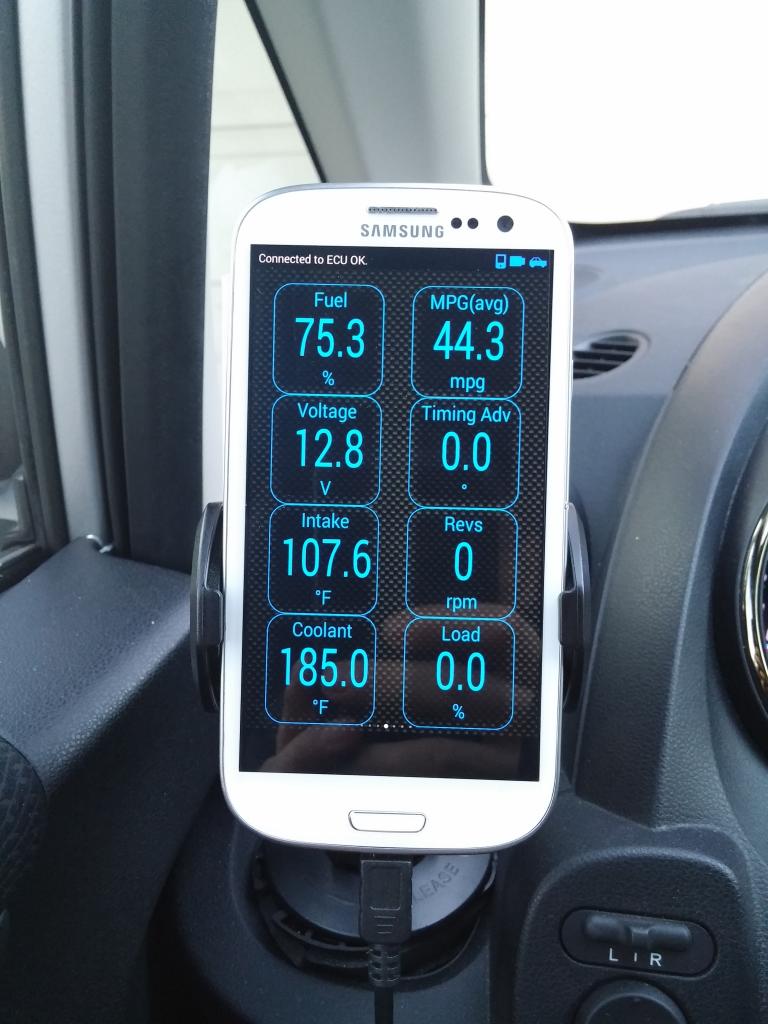
Made by MacAlly and i bought it at a Macmall nearby my work, it was $9.95, they have a suction cup version too but its not legal in CA to attach any devices to the glass using suction cup so i decided against it.
It does have a stiff flexible neck and does rotate in any direction or landscape mode.

that's cool. i have the proclip vent clip to hold my droid and run an app called carhome ultra.
from there i can run nav or direct call, etc.
i have the droid's profile to automatically turn on gps when it detects my headunit via BT.
also since it is connected via BT, i can search contacts or poi's via voice through the HU.
from there i can run nav or direct call, etc.
i have the droid's profile to automatically turn on gps when it detects my headunit via BT.
also since it is connected via BT, i can search contacts or poi's via voice through the HU.

Thread
Thread Starter
Forum
Replies
Last Post
RG129
3rd Generation GK Specific Fit I.C.E. Sub-Forum
7
Oct 17, 2014 04:44 PM
fuzzybabybunny
General Fit Talk
7
Jul 1, 2010 05:26 PM
Austinj
2nd Gen GE8 Specific Fit Interior Modifications Sub-Forum
1
Jun 20, 2010 09:53 PM