


Help Setting up a portable GPS in my Fit


Thread Starter
|
New Member
Joined: Apr 2011
Posts: 1
From: Burbank, California
 Help Setting up a portable GPS in my Fit
I just bought Garmin Nuvi 265W/265WT 4.3 inch Widescreen bluetooth Portable GPS. I have it set up on the far left of my windshield. I'm trying to figure out a good way to run the wires so it doesn't look too messy. Does anyone have any suggestions? Any pictures of their set up?
Thanks!
-Alex
Thanks!
-Alex

Member

Joined: Aug 2009
Posts: 2,462
From: Vermont
I ran my 265W down along the edge of the door and under the fuse box door, then back up over the steering wheel and down to the 12V but that was a temp setup as it goes between two vehicles. Taking a trip this week and will be putting it back in but not sure for how long. I may try and just add another cig lighter on the left side of the steering wheel for the gps (or move it to the center for now).
~SB
~SB


fuse box?
hardwire it from your fusebox with one of these:
Amazon.com: Littelfuse FHM200BP ATO Add-A-Circuit Kit: Automotive
Since it's on the lower left portion of your windshield you should be able to run a wire easily up to the base of your A-pillar. It leaves your accessory fuse untouched and minimizes wire clutter.
Amazon.com: Littelfuse FHM200BP ATO Add-A-Circuit Kit: Automotive
Since it's on the lower left portion of your windshield you should be able to run a wire easily up to the base of your A-pillar. It leaves your accessory fuse untouched and minimizes wire clutter.
Member
Joined: Aug 2009
Posts: 2,462
From: Vermont
I just checked and there are a bunch of hardwire kits on amazon.com's website so that and an add-a-fuse would work great.
click the V1 hardwire link in my sig for instructions on how I hardwired my valentine one. would be the same for the Garmin.
I'm adding the HW kit to my wishlist.
~SB
click the V1 hardwire link in my sig for instructions on how I hardwired my valentine one. would be the same for the Garmin.
I'm adding the HW kit to my wishlist.
~SB
Member
Joined: Aug 2009
Posts: 2,462
From: Vermont
Does the power wire have an extra antenna in it? I wouldn't think so as it can run on battery alone. Power is strictly power to the best of my knowldege and hardwiring means that you are running the power cable from the fuse box (or other location) to the back of the unit with a regular mini usb.
~SB
~SB
you have lifetime traffic if you have the original power cord, which is why theres a bigger square to it, to me it doesnt really matter thoe, i usually get 1 minute or 2 minute delays nothing major so it hasnt played a big part yet

Member
Joined: Oct 2009
Posts: 456
From: New England, USA

I just set mine up yesterday. Moved from a cup holder mount to side window mount. I din't use any fasteners at all--not even a zip tie. The installation is clean enough for me and works well. If you leave it plugged in like this, it will turn on and off automatically with the car ignition. I don't use the traffic feature but it should work fine as well because you are running plugged in. The only quibble I have is that the plug is too long and interferes with the cup holder a bit. Otherwise works very well and the location of the GPS is good for using while driving. I'm setting up my bluetooth to my iphone today and will try that as well over the coming days. Good luck with your setup.
1. Ran cable between panels and inside dash panel under steering wheel:

2. Threaded cable back into passenger area near door and then ran inside weather stripping.

3. Exit cable from weather stripping near side window mount and attach to unit/suction cup mount:

Edit: just paired it via Bluetooth to iPhone and went for a test drive. Works great. Speaker and mic are plenty good for my needs. No problem pairing the devices. Phone features (like address book, recent calls, etc) all came through fine.
Edit 2: I had some time today so I re-routed the cable for a neater look. See pic below. I am considering hardwiring it but this is probably good enough for me now. I also noticed the GPS gets better signal by the side window as opposed to previous location (cup holder in console by stick shift). For all those concerned about traffic updates, take note that as of 1/1/2012, MSN traffic updates will be no more. Source: https://www.msndirect.com/MSNDirectS...ouncement.aspx

1. Ran cable between panels and inside dash panel under steering wheel:
2. Threaded cable back into passenger area near door and then ran inside weather stripping.
3. Exit cable from weather stripping near side window mount and attach to unit/suction cup mount:
Edit: just paired it via Bluetooth to iPhone and went for a test drive. Works great. Speaker and mic are plenty good for my needs. No problem pairing the devices. Phone features (like address book, recent calls, etc) all came through fine.
Edit 2: I had some time today so I re-routed the cable for a neater look. See pic below. I am considering hardwiring it but this is probably good enough for me now. I also noticed the GPS gets better signal by the side window as opposed to previous location (cup holder in console by stick shift). For all those concerned about traffic updates, take note that as of 1/1/2012, MSN traffic updates will be no more. Source: https://www.msndirect.com/MSNDirectS...ouncement.aspx
Last edited by know-nothin; Apr 10, 2011 at 09:45 AM.

Member
Joined: Jan 2011
Posts: 118
From: MA


Member
Joined: Jul 2009
Posts: 126
From: Indiana
How about using Garmin Portable Friction Mount on the center of dashboard instead of setting it up on the left ?
That's what I use when I need to use GPS for traveling. Added advantage is that it's easy to hide the GPS out of the view when parked in a public parking lot. The friction grip can handle most of the turns. It only slid off toward the right (away from the driver) once, when I had to make really sharp/sudden turn.
That's what I use when I need to use GPS for traveling. Added advantage is that it's easy to hide the GPS out of the view when parked in a public parking lot. The friction grip can handle most of the turns. It only slid off toward the right (away from the driver) once, when I had to make really sharp/sudden turn.

Member
Joined: Oct 2009
Posts: 456
From: New England, USA
How about using Garmin Portable Friction Mount on the center of dashboard instead of setting it up on the left ?
That's what I use when I need to use GPS for traveling. Added advantage is that it's easy to hide the GPS out of the view when parked in a public parking lot. The friction grip can handle most of the turns. It only slid off toward the right (away from the driver) once, when I had to make really sharp/sudden turn.
That's what I use when I need to use GPS for traveling. Added advantage is that it's easy to hide the GPS out of the view when parked in a public parking lot. The friction grip can handle most of the turns. It only slid off toward the right (away from the driver) once, when I had to make really sharp/sudden turn.

Member
Joined: Oct 2009
Posts: 4,295
From: Wandering around.

It falls out every once in a while if I don't secure it (after my sister borrows it).
Member
Joined: Oct 2009
Posts: 456
From: New England, USA
Cool. Thanks for the pic.

Member
Joined: Feb 2009
Posts: 142
From: usa
i actually mounted my 255 (im sure the 265w would fit) right above the front center cup holders. I used 3m adhesive velcro to mount it and it looks great, and also never need to take it off because its pretty hard to see if you look from outside. sorry no pics 
Member
Joined: Apr 2010
Posts: 2,074
From: Oregon
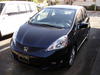
Doesn't block any windows, and I feel pretty confident just leaving it in the vehicle. When it's off, in the dark, you can't even see it.
The only drawback, might be that you have to glance down to look at it, but IMO you have to glance at it wherever you put it...and most of the time I go by "Turn by Turn" instructions...so I'm just looking at the next turn or going by the verbal instructions.
I think it's a great place to keep it, and the bean bag mount works really well placed in the space behind the center cup holders. I even have found that the "extra" bean bag...that is lying on the cup holder area, actually helps to keep cups I place in that area more stable.

Thread
Thread Starter
Forum
Replies
Last Post
runbikerun
2nd Generation (GE 08-13)
2
Jan 13, 2009 01:16 PM
